Gambit runs your CRM as Jira work items
Keep your deals, accounts and contacts in your own Jira site, where your teams already work. Gambit is a CRM that runs inside Jira Cloud. Your engineers and product managers see the customers, and the revenue, linked to the bugs and software work they own. On paid plans, Gambit drafts next steps, and you approve each one.
Free on Jira sites of up to 10 users.
Deals, accounts and contacts are Jira work items
Find a deal in Jira search, put it on a Jira dashboard and open it in the Jira mobile app. The permissions, search and history your site already has apply to each record. Uninstall Gambit, and your deals, accounts, contacts and email stay in Jira. Gambit's own indexes and AI working state go when you uninstall, except what its nightly Gambit Archive item keeps.
Davis Hospitality, its accounts and its deals are sample data.
Your engineers see the customers a work item affects
On a P1 bug or other software work item, your engineers see the customers it affects by name. They see each customer's ARR, renewals due in 60 days and open deals. On paid plans, when a rep writes a customer a promise, Gambit proposes it and the rep chooses Track promise. The promise becomes a Jira work item linked to the deal and the epic that delivers it. The engineer sees who was promised what, by when, and the deal at stake.
Davis Hospitality, its accounts and its deals are sample data.
Gambit drafts next steps, and you approve each one
On paid plans, your reps get drafted follow-ups, account and deal summaries, and proposed next steps. A person accepts each AI proposal from the Inbox before anything changes, and can Undo it. Ask a question in plain words and get a table or a chart from your deals in Jira. Ask comes with the free tier, within its monthly analyses.
Davis Hospitality, its accounts and its deals are sample data.
Choose the area your team starts with

Pipeline
Work deals on a board or in a grid. Each change is written to the Jira work item.

Accounts and contacts
Open an account for its health score, timeline and Work tab.

Import
Bring in Salesforce, HubSpot or Pipedrive exports with a dry run and Undo for 14 days.
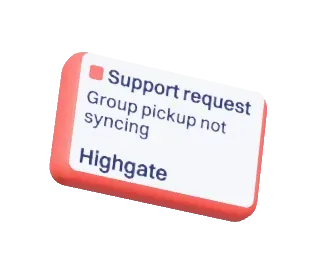
Customer panel
See the customers a Jira work item affects, with their ARR and renewals.
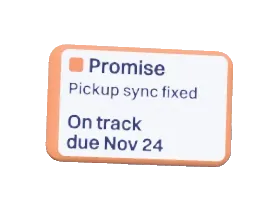
Promises
On paid plans, track a customer promise to the epic that delivers it.
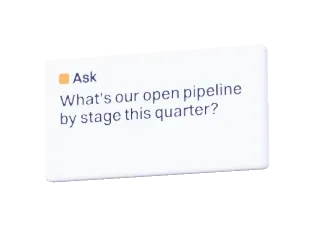
Ask for a report
Ask in plain words and save the chart to a Jira dashboard.

AI summaries and proposals
On paid plans, read summaries and next steps, and approve each change with Undo.
Gambit agent in Rovo
Ask Rovo about your pipeline, on Jira plans that include Rovo.

Gambit Mail Sync
A separate app that files customer email on the right account and deal, with no BCC.

Industry packs
Start from the SaaS or Professional services pack, and remove it cleanly later.
Integrations
Jira, Rovo, and Salesforce, HubSpot and Pipedrive exports. Microsoft 365 and Google Workspace capture comes through Mail Sync.
For your Jira admin
Free on Standard for sites of 1–10 users: the whole CRM, industry packs and Ask, with about 60 to 100 Ask analyses a month; background capture, summaries and drafts need a paid plan.
Gambit's AI is included in your subscription, with fair-use limits. Each person can run up to 25 Ask analyses a day, within a monthly fair-use limit for each person; questions that fit a report don't count. Summaries and other automatic AI draw on their own monthly pool. Your admins set how many analyses each person can run a day, and can give a person more. Reports, search and everything else keep working.
The Gambit agent uses Rovo credits from 3 Dec 2026.
Mail Sync requires an active Gambit subscription.
Capture needs a paid Gambit plan.
Microsoft 365 users connect their own mailbox wherever their IT allows it, or IT connects everyone; Google Workspace capture is connected by the IT admin; capture is labelled beta; personal Gmail opens after Google's review, with a waitlist.
On Jira Free, everyone on the site sees every record; private deals need Jira Standard or above.
Questions and answers
What does Gambit add to Jira?
Built on Atlassian Forge, Gambit adds a CRM to your Jira Cloud site. You get a workspace for pipeline, accounts and contacts, a customer panel on Jira work items, and Ask for reports. On paid plans you also get AI summaries and proposals that you approve, with Undo. Each record is a Jira work item in your own site.
Get on the Gambit mailing list
Gambit is on its way to the Atlassian Marketplace.